Before and after
Drag the handle (or use your arrow keys) to compare the old homepage with the new one, on a laptop and on a phone.
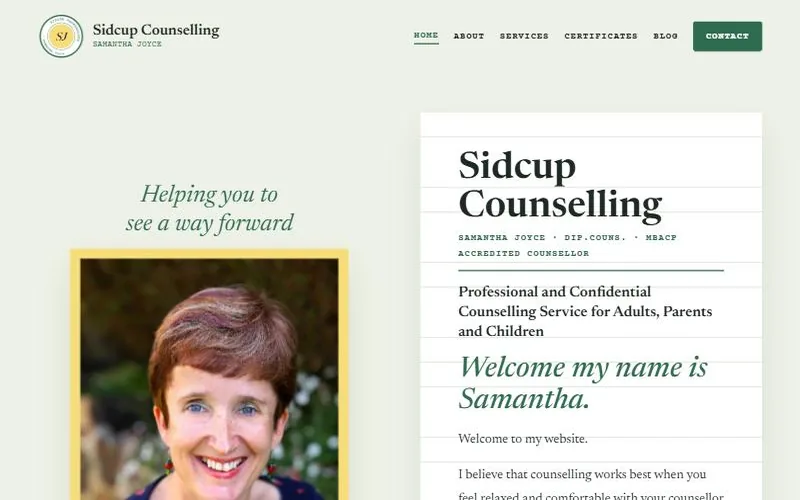
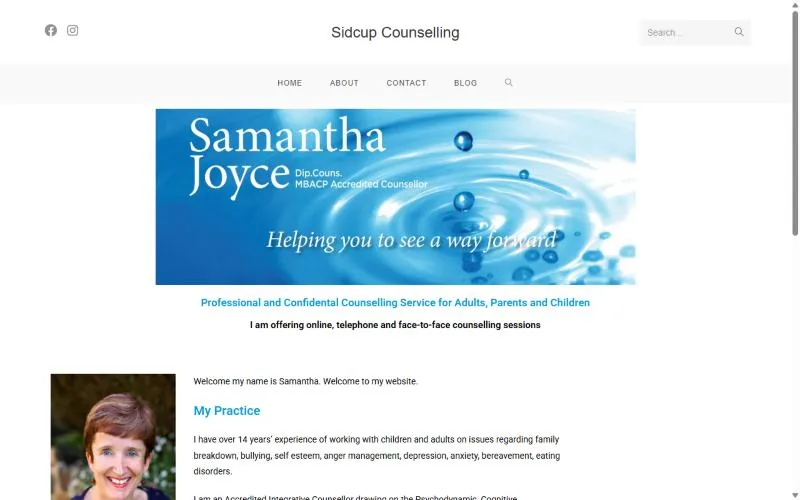 BeforeAfter
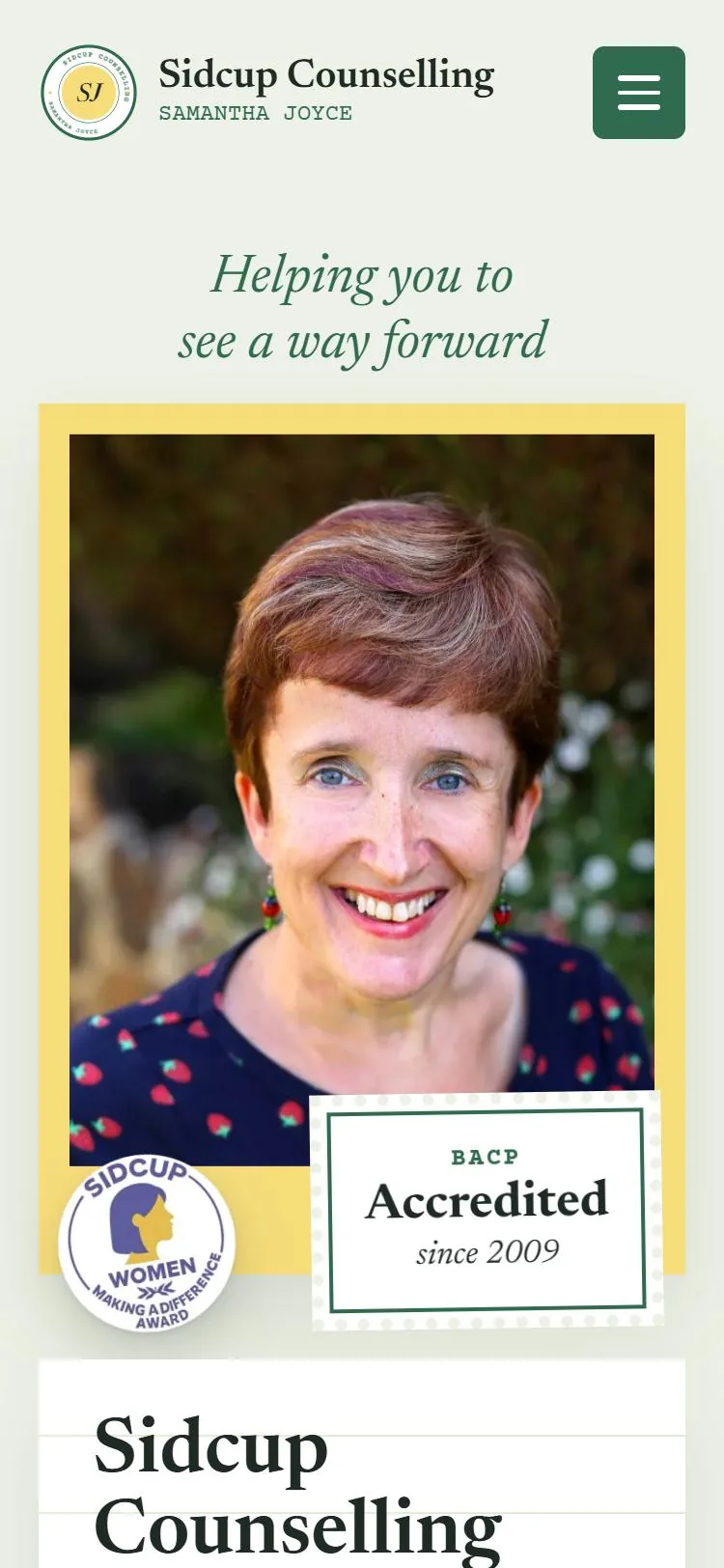
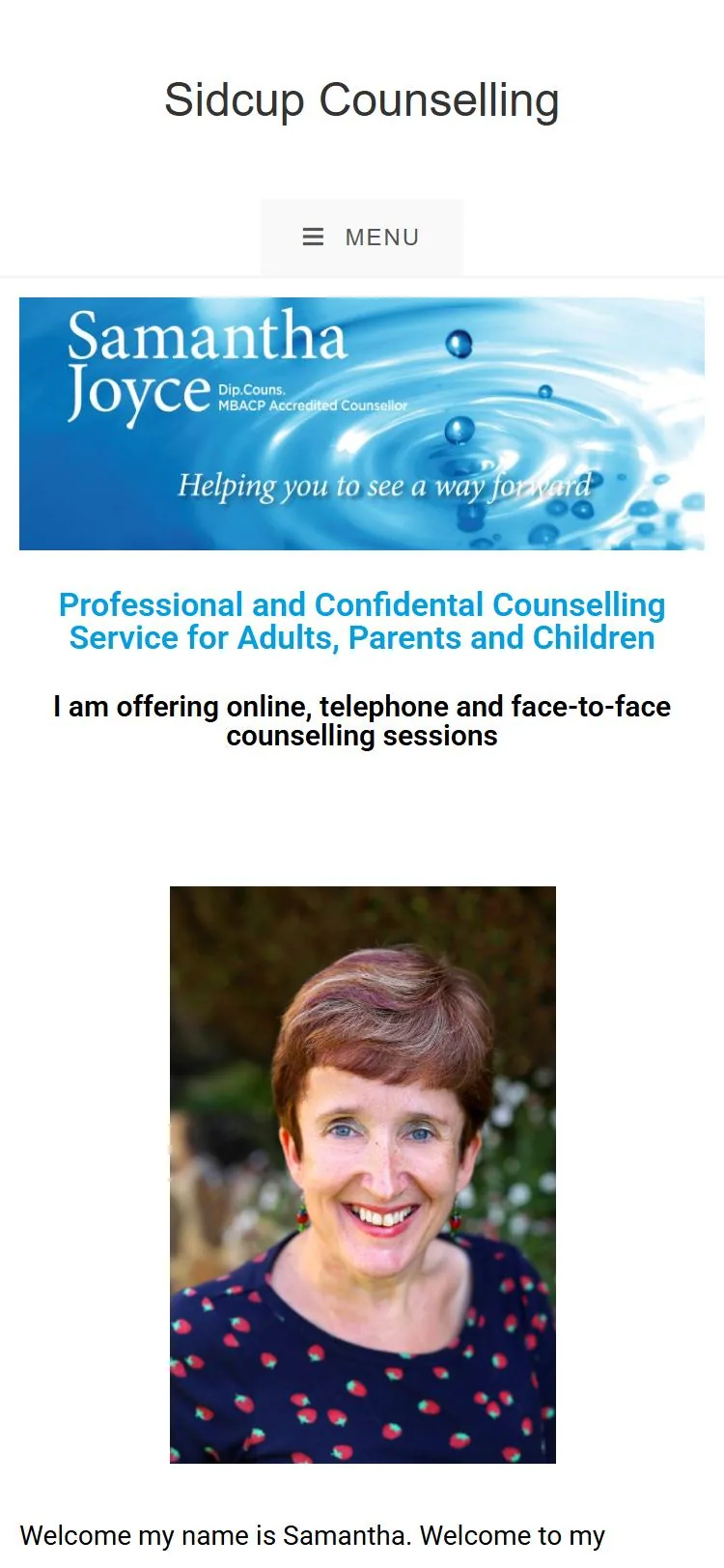 BeforeAfter
What Samantha said
“Lee made the whole process of a new website painless. He is friendly and takes on board what you need as well what he knows works. All done swiftly and efficiently.”
The brief
Samantha counsels adults, parents and children in Sidcup. She has run her private practice since 2006 and has been BACP accredited since 2009. Her old website did its job for years, but it had started to show its age: it was slow on a phone, hard to act on, and didn't feel like her.
She wanted something warm, friendly and welcoming. For a counsellor that matters more than for most businesses, because the people visiting are often anxious, and deciding whether to reach out at all.
What was holding the old site back
Before changing anything, I audited the old site on desktop and mobile. This is what I found:
- On a phone, the main content took 11.8 s to appear (PageSpeed mobile performance: 57/100). That's a problem when so many people look for a counsellor on their phone.
- The phone number could not be tapped to call anywhere on the site, so mobile visitors had to copy it out by hand.
- There was no clear next step near the top of the homepage. The only button there was "Read More…" for self-care sessions.
- Samantha's name and credentials were part of the banner image, so Google and screen readers couldn't read them.
- The homepage had no main (H1) heading, the About page had four, and none of the main pages had a description for Google.
- A reCAPTCHA badge sat on top of the welcome text on smaller phones, and mobile text broke awkwardly mid-sentence.
- The main strapline had a typo ("Confidental"), and the site ran on an out-of-date page builder.
What I changed, and why
A warm, personal design
A letter-style layout in soft green and yellow, with Samantha's photo front and centre and her own welcome written like a note.
Why: Reaching out to a counsellor is a big step. The site should feel like meeting a person, not visiting a clinic.
Credentials you can see straight away
Her BACP accreditation, the Sidcup Women Making a Difference award and a Certificates page with her qualifications.
Why: People need to trust who they're talking to before they get in touch. Showing it beats saying it.
Getting in touch, made easy
Tap-to-call phone links, a Contact button in the menu on every page, and a simple form that emails Samantha and keeps a copy in her dashboard.
Why: Every extra step loses someone who was only just ready to ask for help.
Her words, kept
All of the content came from Samantha's existing site. I tidied the layout and fixed the typos, but didn't invent anything.
Why: It is her practice and her voice. A rewrite in marketing language would have felt wrong for counselling.
Lighter and simpler
A custom WordPress theme replaced the page builder. Fonts are served from her own site rather than Google, and the contact form has its own spam protection, so it no longer needs reCAPTCHA.
Why: Less to load on a phone, nothing covering the text, and fewer plugins to keep updated.
Found and understood by Google
One clear heading per page, real text instead of text-in-images, page descriptions and business details Google can read.
Why: People in Sidcup searching for a counsellor should be able to find her, and see what she offers before they click.
The results
Mobile performance (Google PageSpeed)
57 → 78
Time for the main content to appear on a phone
11.8 s → 5.6 s
Google PageSpeed Insights, mobile, homepage, measured on 24 November 2026 on the old site and again after launch. Accessibility and SEO now score 100 out of 100. Lab scores vary a little between runs.
How it came together
- 1Audited the old site and kept a record of how it looked and performed.
- 2Built four homepage concepts for Samantha to choose from. She picked the letter-style design.
- 3Showed her a working demo before anything went live, and refined it with her feedback.
- 4Delivered it as a custom WordPress theme, so she can still edit her pages and blog posts herself.
Want the full story? Read the write-up on the blog.